

Beyond answering questions, Finn watches your finances in the background and points out patterns worth a look — a category that's creeping up, a goal that has stalled, a subscription you might have forgotten.
Where insights show up
Fresh insights appear in the Finn noticed block on the dashboard and gather under the Insights tab in analytics. Each carries an importance level — Info, Good, Heads up or Urgent — so the pressing ones stand out from the merely interesting.
Open an insight
Tap Details to read the full observation. If an insight isn't useful, Hide tucks it away.
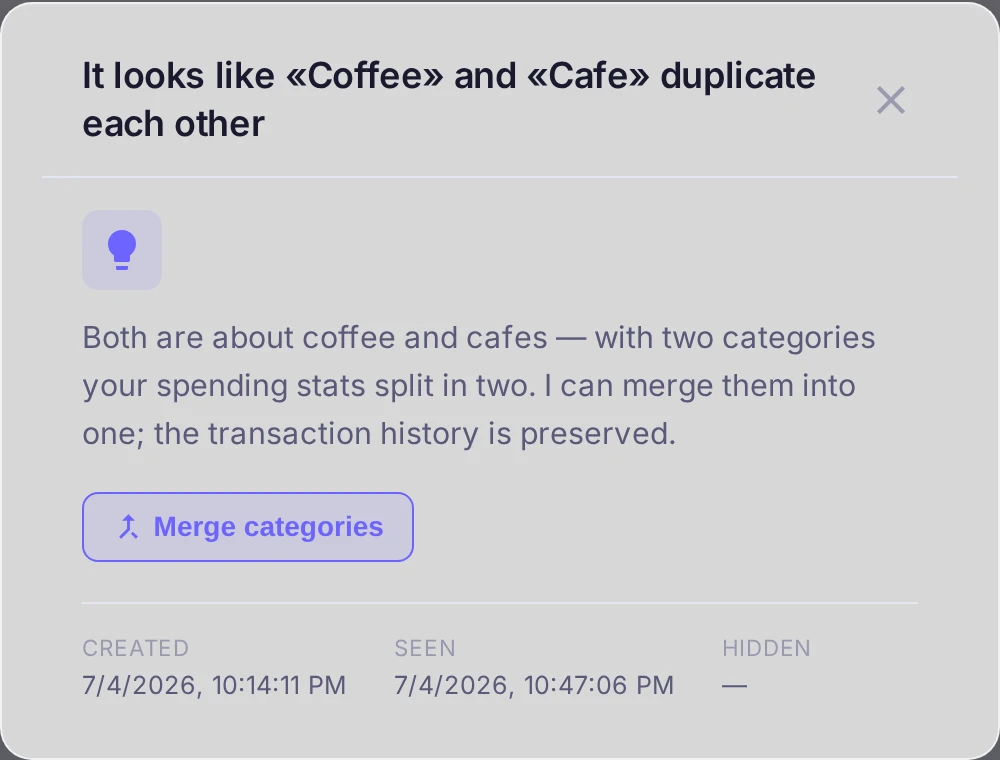
Suggested actions
Some insights come with a one-tap action. For example, when Finn spots two categories that look like duplicates, the insight offers Merge categories — confirm it and all transactions, rules and budgets move to the target category while the duplicate is removed. Not every insight has an action; many are simply worth knowing.
On the free plan
On the free plan Finn still surfaces the observation, but the conclusion — what to do about it — is shown in full on Pro. See the article on free-plan limits for the details.