

Rent, salary, subscriptions — money that comes and goes on a schedule. A recurring rule describes such a payment once, and the app keeps it on the calendar for you.
Create a rule
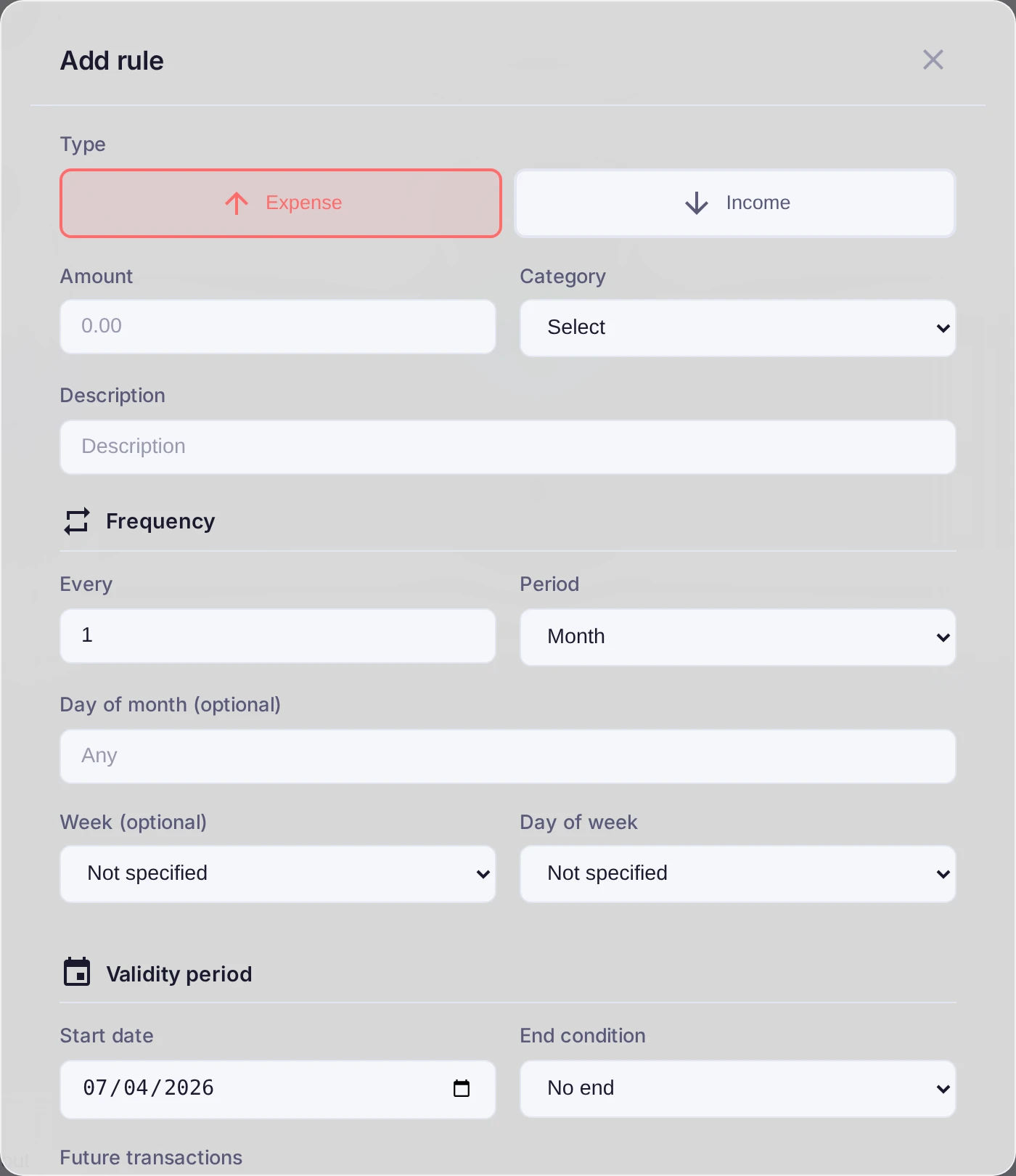
Open Settings, go to the Recurring tab and press Add rule. Fill in the essentials:
- Type, Amount, Category and Account — the same fields as a normal transaction.
- Frequency and Period — how often it repeats (every month, every two weeks, and so on) and the Start date.
- End condition — repeat forever, stop after a number of repeats, or stop by a date.
Link it to the bank (optional)
If this payment also arrives from a connected bank, turn on Auto-match with bank transactions. The app will recognize the real operation within a match window and amount tolerance you set, and merge it with the rule instead of creating a duplicate.
Result
Planned transactions appear on schedule, and the cash-flow forecast counts on them — so an upcoming rent or an incoming salary is reflected before it actually happens.